The idea is there. The time, the structure, the next chapter? That’s where a little help changes everything.
Meet your writing workspace for turning “one day” into a draft you can actually work with.
YOUR IDEA. YOUR NEXT CHAPTER.✦
↗
A book starts with an idea.Give yours somewhere to go.
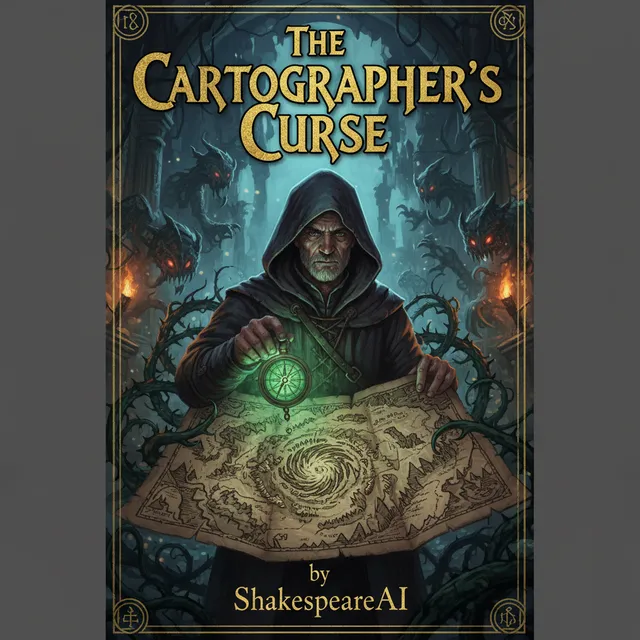
Example books from our showcase · Your story comes next
Books written
12,400+
Words generated
38M
Series authors
2,100+
As of September 2026
Outline before you write✦Shape every chapter✦Build your series✦Export your manuscript
Less friction. More pages.
A book-sized idea deserves a book-sized workspace.
If your novel lives in scattered notes, unfinished documents, or the back of your mind, these are seven good reasons to give it a proper home.
01
Beat the blank page
You don’t need a perfect first sentence. Just a starting point.
A vague idea is hard to write from. Give ShakespeareAI your genre, setting, and central conflict, then develop a chapter outline before committing to the prose. You get a next step instead of another empty document.
Start with the idea. Shape the structure. Then write.
ILLUSTRATIVE WORKFLOW
“A coastal mystery. A missing archivist. A recording that shouldn’t exist.”
01
The recordingIntroduce the mystery
02
A familiar voiceRaise the stakes
03
The second versionComplicate the truth
Your outline is yours to change ↗
02
Keep the momentum
Make progress one chapter at a time.
You don’t have to solve the whole book in one sitting. Draft a chapter, review what works, and give the AI specific instructions for the next pass. Keep the direction of the story in your hands while getting help with the writing.
For the writer who keeps starting over: keep moving forward.
Chapter workspace
03
Stay in the story
Your characters have a past. Your writing tool should remember it.
Character and series context help carry the world you’ve built into the next chapter or sequel. Spend less time reintroducing your cast and more time developing what happens to them next.
Especially useful when one book becomes a series.
Series context
04
Make it sound like you
A first draft is a beginning. You get to make it yours.
Revise the tone, reshape a scene, and refine the prose with the built-in editing and humanizer tools. Give clear direction about the voice you want, then keep the lines that fit your story.
Your taste and decisions shape the finished manuscript.
Revision & humanizer
05
Take your work further
Your book shouldn’t be stuck in a chat window.
Export your manuscript as DOCX, PDF, or EPUB (DOCX and EPUB on paid plans) so you can continue editing, share it with a reader, or prepare it for a publishing platform. Your chapters become a document you can actually use.
From “look what I generated” to “here’s my manuscript.”
✦Your next great chapter.MANUSCRIPT · FIRST DRAFT
DOCXPDFEPUB
06
Give the draft room to grow
Author makes room for a real writing habit.
A short sample can help you test a tool. A regular writing habit needs more room. Author gives you up to 15 books per month, up to 300 pages per book, and 2,000 generation pages per month. It’s a practical next step when you’re ready to work beyond the free plan.
Writing longer books or working across several projects? Pro raises the maximum to 800 pages per book and 10,000 generation pages per month, with no monthly book-count cap. It also adds Ultra AI models and Book Translator, giving you more writing options and a way to prepare translations for review.
🛡️ AI Humanizer — Unlimited + Document Upload + Priority
Clean PDF, DOCX and EPUB exports
AI-powered generation
Priority support
Custom book templates
🌍 Book Translator — translate books to 30+ languages
⚡ Premium & Ultra AI models
30-minute Founder Onboarding Call included
Paid monthly subscriptions renew until cancelled. Cancel anytime. Daily and monthly generation page limits apply to all plans, including Pro. Prices in USD; checkout confirms applicable taxes and current terms. See all plans.
Audiobook add-on: 5 additional audiobooks per month for +$9.99/month on paid plans. Optional; not included in the prices above. Humanizer allowances are separate from book-generation pages.
Refunds within 14 days of purchase are prorated by plan usage. Lifetime and 1-year promotional purchases are final. Read the full refund policy.
A few good questions
Before you turn the page.
Can I try ShakespeareAI before paying?
Yes. Open the book writer and create a free account to try the Starter plan. No credit card is needed. Starter includes one book per month, up to 25 pages per book, with 50 generation pages per month and a 30-page daily limit.
Which writing plan should I choose?
Start with Starter to try the workflow free. Choose Writer for more writing room and clean exports, Author for longer books and unlimited humanization, Pro for translation and Ultra AI models, or Pro Max for the highest writing capacity and a founder onboarding call. All plans have daily and monthly generation page limits.
What does “no monthly book-count cap” mean?
Pro does not limit the number of books you can create each month. Its generation allowance still applies: 10,000 pages per month, 1,000 pages per day, and up to 800 pages per book.
Can I edit and export my book?
Yes. Review the outline, edit your chapters, and export the manuscript as a PDF on any plan, or as DOCX and EPUB on paid plans. That gives you a draft to refine, share with an editor, or prepare for your publishing platform.
You’ve had the idea long enough.
Give it a first chapter.
Your next book starts with a decision to begin. Choose the space to write it.